Time + Technology = Confusion
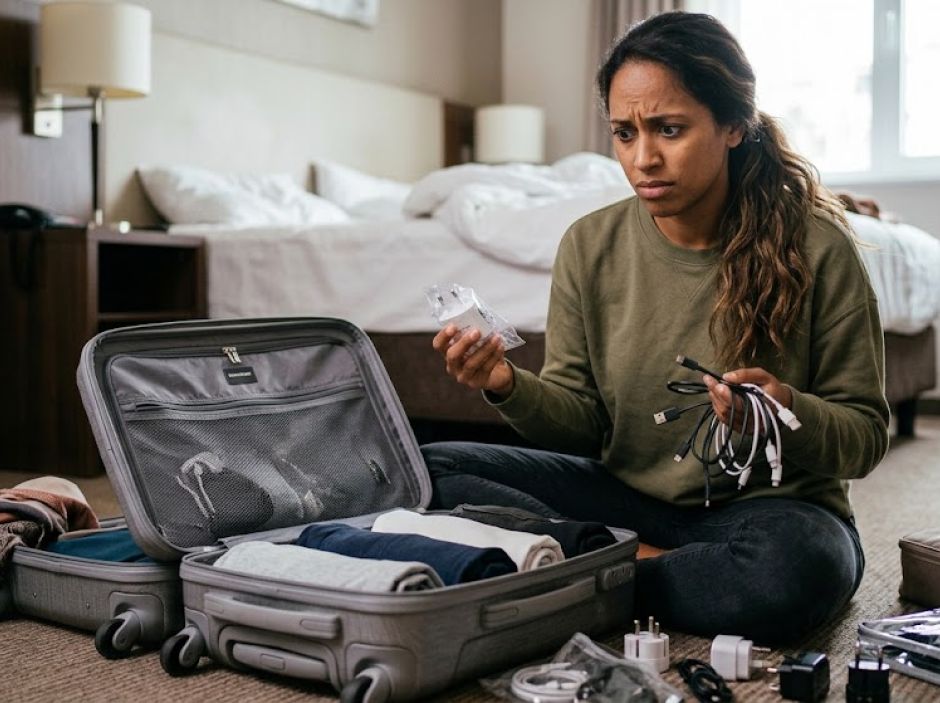
There was a time when getting the technology ready for a trip was little more than making sure you could find the lead-lined bag that was to keep the film rolls from turning cloudy when sent through the x-ray machine at security. Today, the plethora of cables, connectors, power banks, and the like make the task more difficult. It’s no fun to spend half a day of a precious vacation looking for a store in a strange land that sells the particular tech item you left at home. Trust me…been there, done that.
This guide is designed to take you, step-by-step, through the process of getting your power needs organized before you get on the plane to wherever you’re going.
Visualize the Problem
The first step is to make sure you account for every device that is going to get powered-up.
Lay out those devices onto a clean wide surface that is free of any other clutter. In my apartment the closest I can find to that is the dining room table.
Cameras, laptops, tablets & Kindles are obvious, but be sure to include your phones, battery chargers, earbuds, as well. In other words, anything that is going to need power should be on the table. Not just yours, of course, but the electronics of everyone who will be relying on you to solve their power needs. That’s the only way you can be sure to take everything into account, from power needs to the cables needed to supply them.
Next, connect each device to its respective charging cables. I stretch out the cables, connecting them to the power input port on the device. I then arrange them so that the end that goes into the wall or charging brick are all together in preparation for the next step: making sure I have enough power.
Square Pegs in Round Holes: Plug Adapters
Before we talk about chargers let’s talk about logistics, sockets, and power. Most countries use one (and sometimes more) of several plug and socket types. If you’re travelling abroad, you’re probably going to need some sort of plug adapter because the shape of the plugs you use won’t fit in their sockets.
Don’t count on hotels or cruise ships having US sockets, built in USB ports, or even supplying you with converters. Be prepared. Carry your own plug adapters. There are three main types; but a fourth hybrid can offer a better solution:
Option 1: Voltage Converters
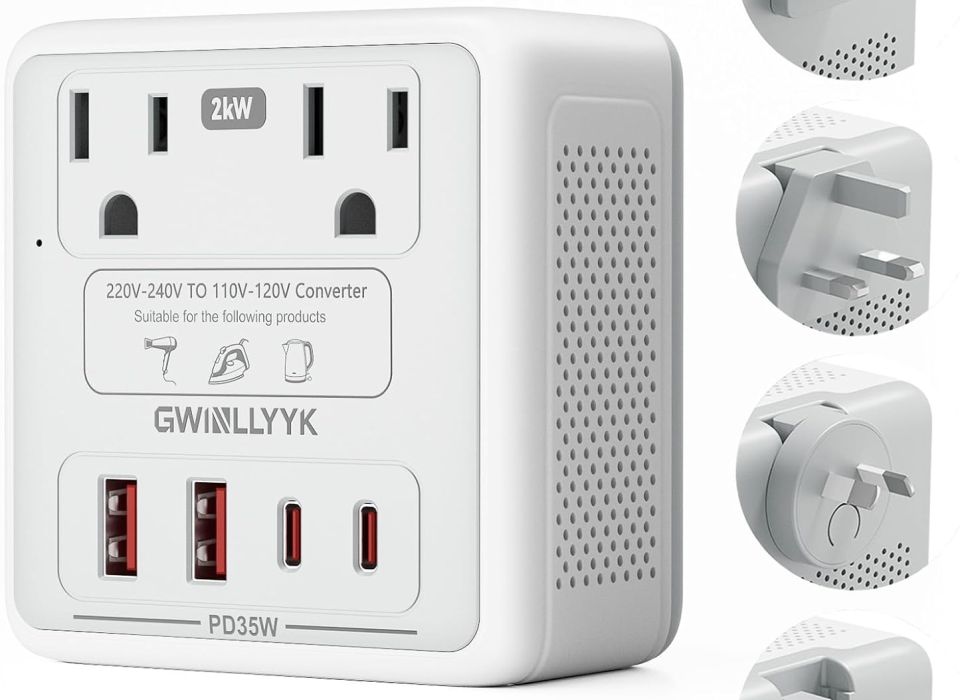
Plug adapters come in three basic forms. The most expensive are packaged as part of a bulky voltage converter kit that converts power from 220 to 110. Chances are you don’t need one of these. Most modern personal electronics—iPhones, camera battery chargers, AirPods, and laptops—are dual-voltage (100--240V ), meaning you do not need a bulky voltage converter. You only need adapters for your plugs. High-wattage heating items (hairdryers, curling irons, straighteners, kettles) are another matter. These are the primary reason travelers blow fuses or fry devices, as they are frequently single-voltage (110–120V only) and require huge wattage (1200--1800 W
 ). These should be left at home! They can even blow most power converters.
Voltage requirements shouldn’t be a mystery. Look on the device and you should see a label or raised print that states the voltage. If it says "INPUT: 100–240V ~ 50/60Hz" you should be ok to use one of the next options.
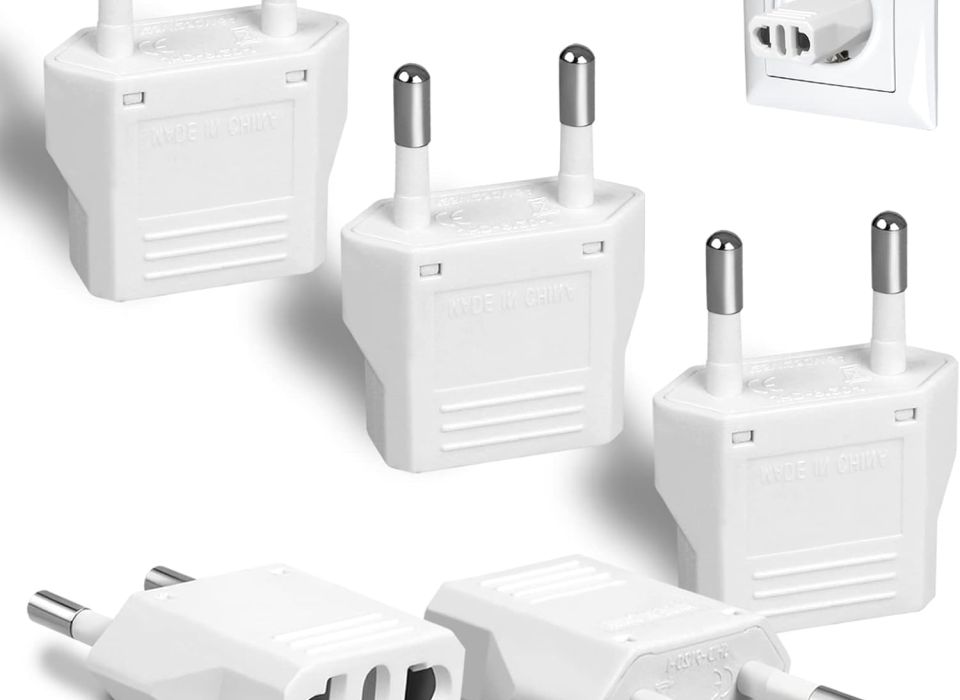
Option 2: Simple Plug Adapters
With a simple plug adapter you just insert the plug of your device into it and then the adapter goes to the wall socket. These can be purchased individually if you are sure of what shape you will need, or as part of a set with plugs for many different countries and standards. In years past, I always seemed to misplace the one I needed most. On most trips you will only need one or two different kinds, so why carry the world in your carry-on? These offer cheap, reliable ways to adapt your chargers, if you are sure you’re only going to need one kind of adapter. Visit a site like Power Plugs & Sockets of the World to get a visual of the kind of plug you need.
Option 3: Universal Plug Adapters
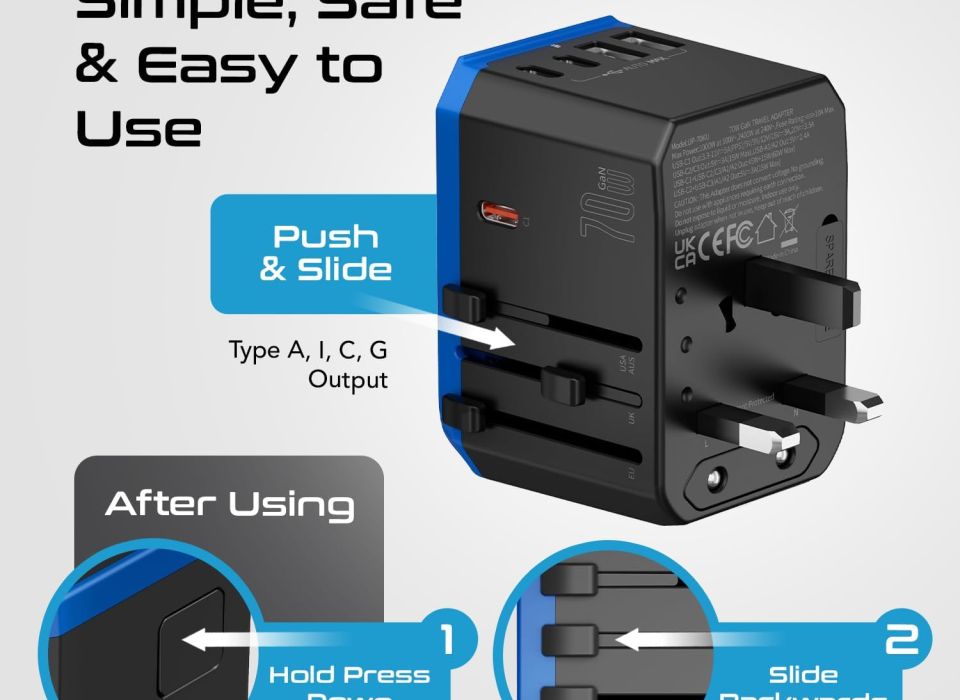
Universal plug adapters are often the best choice. I usually have one of these Rube Goldberg-like devices in my bag. A socket on one side accepts the plug of your charger and, with a press of a button, routes it to an extruded plug of the needed variety on the other.
These come in two variants, the more expensive of which have (in addition to the plug mechanism) a built-in charger, sometimes obviating the need for carrying multiple separate chargers. Universal adapters greatly simplify packing. Some have a place to plug in a standard US plug (the AC socket) and two to four USB cables. We will revisit these in the next section on chargers.
The downside is that universal Plug Adapters are bigger than simple plug adapters. They usually cover up the second wall socket, if present, reducing the number of available sockets in your hotel room. Further, in Europe, where wall sockets are often recessed circular dishes, the weight of the adapter and the torque of the cables can sometimes cause a disconnect from charging.
Option 4: The Hybrid Solution
My solution is to sometimes use a simple plug adapter attached to a small power strip that can sit on the counter or floor and then, plug the chargers into it. This way gravity works with you rather than against. If you use a power strip or extension cord be sure that anything that plugs into it is rated for 240V electronics.
You should not use just any power strip in Europe. A purpose-built travel cord such as the Orico Cruise Approved Power Strip has several features that make it safe for use. First, it is designed to handle European as well as US input voltages (100-250V). It has an integrated AC-to-DC power converter for its built-in USB-A and USB-C ports, meaning it can handle the wall voltage to those ports without overheating. As a secondary benefit, you can use it on most cruise lines (which often ban surge protectors as a fire hazard). Just using any old strip can be a fire hazard and can damage your equipment. Don’t do it.
Of course, any device you plug directly into the power strip should be rated for European as well as US input voltages (100-250V) or they may be damaged and/or create a fire hazard. Most consumer chargers are ok, but check yours before use.
Chargers (and Cables)
Not too long ago every device came with its own power cable and adapter. Today, more and more devices have standardized on USB-C for power. Paradoxically, this has simultaneously made things simpler and more complicated. Simpler, because you may need fewer cables and because their ubiquity makes them easier to replace if you lose one along the way. More difficult, because the onus is placed on you to make sure you’re giving your electronics enough wattage to charge efficiently.
The oversimplified explanation goes like this: Each device is designed to need a certain amount of power to charge. Some can charge faster if more watts are available; this is typically called fast-charging, and there are several levels of fast-charging, each requiring an increasing amount of power. If your device supports fast-charging and it doesn’t get enough power it will fall back to a slower charge.
The devices you are charging, the cable, and the charger all interact, and this impacts on the calculus of your charging solution. The good news is that if your charger provides more power than your device can use, or than your cable can carry, it simply charges at the lower speed. On the other hand, the bigger the charger the more it usually costs and weighs. So get what you need; certainly not less, but probably not too much more either.
So how big a charger do you need? Let AI help you here by asking “how many watts do I need to fast charge my [insert manufacturer and model]?”. Add up the watts for all the devices you are going to plug into the USB ports. Your charger should supply at least that much power.
For my bag I chose the Ceptics 6-in-1 70 watt charger. It has a direct pass through for the AC socket, so anything I plug into it will get full power. The charger also has one high-power USB-C port that can charge up to 70 watts, and four lower power USB-Ports (2x USB-A 2x USB-C) that are suitable for overnight charging. Keep in mind that on most chargers the total wattage is shared among the ports. If you load all the ports you will slow down the speed at which they all charge.
One last word about USB. USB-C cables are rated for different amounts of power. You need to match the cable to the amount of juice you want to pull down. The cable you charge your earbuds with might not be rated to charge your laptop. Before sending high power, the charger and your device communicate over the cable. Standard USB-C cables without a special chip are hardware-limited to 60W (20V at 3A). Higher-capacity cables (capable of 100W to 240W / 5A) contain an electronic identifier chip called an E-Marker. If the chip isn’t present the power will be capped. So, while it shouldn’t be a fire hazard, it isn’t going to do a good job of charging your device. Extremely cheap, non-compliant, or physically frayed cables can short-circuit or misreport their specs. These can constitute a fire hazard. Stick to reputable brands (Apple, Anker, UGREEN, Cable Matters, Belkin) to ensure standard compliance.
Time to Put It All Together
Now that we understand the parts to this moving puzzle (Chargers, Cables, Plugs, and Ports) let’s look at the table and see what we need using real world examples.
Example 1 (An overseas business trip)
What’s on the table: MacBook Pro, iPhone, AirPods, extra battery pack for the phone, battery charger for camera
What I would pack:
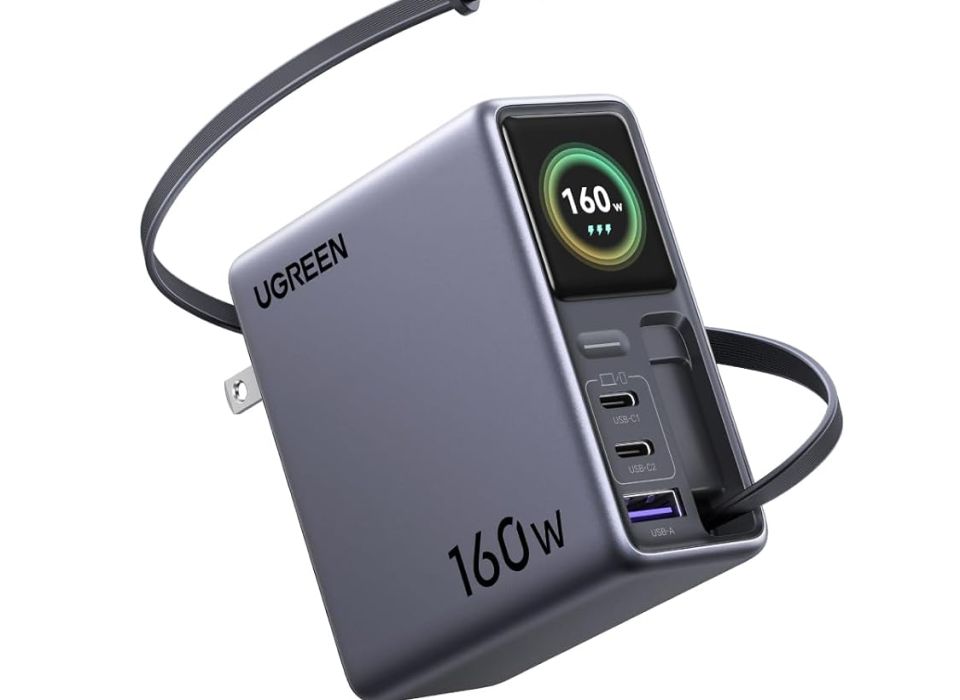
Charger: I’ll ditch the 1st party Apple charger and go with a UGREEN 160 Watt Charger. It has more ports, is smaller, and more capabilities.
Plugs and Adapters: I’ll plug the Charger into the Orico Cruise Approved Power Strip and then adapt the plug of the strip with a European plug. Theoretically, the power adapter could supply all the power I need with just a simple adapter plug, but it is very heavy and I am concerned it might pull right out of the wall or the adapter if the socket was built into a wall. Instead, I will adapt the power strip and then plug the charger into the strip.
Cables: The UGREEN Nexode Pro 160W Retractable Cable edition has a built in cable that can deliver the full 140 watts to power up and charge my laptop, and has three more ports. I’ll need a USB-C to Lightning cable for phone, and the charging cables that came with the battery pack and camera charger.
Example 2 (An overseas business trip with a smaller computer or tablet)
What’s on the table: Same as Example 1, but with a Surface 7 laptop that draws a maximum of 60 Watts.
What I would pack:
Everything stays the same except I’d swap out the Nexode Pro for the Ceptics 6-in-1 70W charger. It weighs a fraction of the other unit, takes less room, and will easily charge my devices overnight. Alternatively, I could use the Microsoft charger plugged into the power strip and get the juice for the USB from it. The advantage to this would be if I wanted to work plugged in for the entire flight and arrive with a full battery on the computer. It would be easier and more secure to plug the long 1st party cable and charger that came with the Surface into the airplane’s socket than fiddling with the Ceptics brick.
Dress Rehearsal
You’re just about ready to go. Plug everything together as you intend to use it, leaving off the simple adapter plugs for the moment. This way you know for sure you have all the cables you need. Try powering up the system and see that every one of your devices is getting power.
Now, remember to put the simple adapter plug back on, secure your cables, and put your charging kit in a small bag so that it is easy to find. I keep this bag in my carry-on because replacing it if checked luggage gets lost might be impossible.
Practical Considerations That Go Beyond The Specs
Remember, if you’re the family’s chief technology officer, others will be looking to you for power. Actually, they may not start looking until the trip is underway, so be proactive. Planning can make everyone’s trip a happier one.
Fast charging may not be necessary for your travel items if you’re only going to charge overnight. The USB ports on the power strip may not be super fast, but what does it matter if you’re giving it the whole night to get the job done. This can cut down on the size and number of chargers you need to bring. The more wattage a charger puts out the heavier it is going to be. Don’t pack more than you reasonably will need. Your back will thank you.
Try not to spread the equipment over many sockets in the room. Concentrating them in one or two spots makes it less likely you’ll miss one when checking out.
Finally, remember that devices containing installed batteries (like laptops or phones) are generally permitted in checked luggage if turned fully off, but spare/loose lithium-ion batteries and power banks are strictly forbidden in checked bags and must travel in carry-on baggage. As mentioned before, I keep my electronics with me at all times.